Zoho CRM Alternatives: 5 Better CRMs for Service Businesses in 2026
Looking for a Zoho CRM alternative? Compare the top 5 CRM platforms purpose-built for freelancers and service businesses, with honest feature comparisons, pricing, and recommendations.

Zoho CRM is one of the most well-known names in business software. It sits at the centre of a sprawling ecosystem of more than fifty Zoho products, covering everything from accounting to human resources to website building. If you run a large organisation with a dedicated IT team capable of stitching those products together, Zoho can become the backbone of your entire operation.
But if you are a freelancer, a sole trader, a consultant, or the owner of a small service business, the reality of living inside Zoho's ecosystem is very different from the marketing promise. You sign up for Zoho CRM expecting an all-in-one platform, only to discover that invoicing lives in a separate product called Zoho Invoice, accounting lives in Zoho Books, proposals live in Zoho Writer or require yet another workaround, and scheduling requires Zoho Bookings, each with its own login flow, its own settings page, and its own learning curve. The result is a fragmented experience that costs more time than it saves.
For freelancers, consultants, and small service businesses, there are CRMs that were purpose-built for the way you actually work, with proposals, invoicing, scheduling, and automation included natively, not scattered across a dozen loosely-connected apps. If you have been searching for zoho crm alternatives that actually simplify your workflow, here are five worth serious consideration in 2026.
Why Service Businesses Look for Zoho CRM Alternatives
Before diving into the alternatives, it is worth understanding why so many small businesses start with Zoho and eventually look elsewhere. The issues tend to cluster around four recurring themes.
A fragmented ecosystem that feels stitched together. Zoho markets itself as a unified suite, but in practice the integrations between Zoho CRM, Zoho Books, Zoho Invoice, and Zoho Bookings are not as seamless as they appear in demos. Data syncing between products can lag, field mappings break when you customise one product without updating the others, and you often end up re-entering information manually. For a small business owner who expected a single platform, this patchwork approach is frustrating and time-consuming.
An overwhelming number of modules and options. Zoho CRM's interface is packed with modules, Leads, Contacts, Accounts, Deals, Activities, Reports, Campaigns, Social, Inventory, and more. Most small service businesses use a fraction of these, yet the clutter is always visible, making the system feel heavier than it needs to be. The steep learning curve means that many users never move beyond basic contact storage, which defeats the purpose of paying for a CRM in the first place.
A user interface that has not kept pace. While Zoho has made improvements in recent years, the UI still feels dated compared to modern alternatives. Navigation is nested and unintuitive, bulk actions require multiple clicks, and the mobile experience can be clunky. For a freelancer who needs to update a deal status between client meetings, every extra tap adds up.
Pricing that creeps upward. Zoho CRM's Standard plan starts at a seemingly reasonable price, but the features most service businesses need, workflow automation, custom modules, inventory management, e-signatures, are gated behind Professional and Enterprise tiers that cost significantly more. When you add the separate subscriptions for Zoho Books and Zoho Invoice, the total monthly spend can rival platforms that include all of those capabilities in a single plan.
If any of these frustrations sound familiar, you are not alone. The best crm like zoho for small teams is one that puts everything in a single place without the module overload. Let us look at the alternatives.
Quick Comparison: Zoho CRM vs the Top Alternatives
Here is a side-by-side snapshot of how the five alternatives compare to Zoho CRM across the features that matter most to small service businesses. This table should help anyone evaluating a zoho alternative for small business narrow their shortlist quickly.
| Feature | GraftPal | Zoho CRM | Pipedrive | Freshsales | Capsule CRM | Monday CRM |
|---|---|---|---|---|---|---|
| Starting Price | from A$49/mo | ~$15/user/mo (Standard) | ~$18/user/mo | ~$11/user/mo | ~$18/user/mo | ~$12/seat/mo |
| Free Plan | ✓ (14-day trial) | ✓ (3 users, limited) | ✗ (14-day trial) | ✓ (limited) | ✓ (2 users, 250 contacts) | ✗ (14-day trial) |
| Pipeline Management | ✓ | ✓ | ✓ | ✓ | ✓ | ✓ |
| Built-in Proposals | ✓ | ✗ | ✗ | ✗ | ✗ | ✗ |
| Built-in Invoicing | ✓ | ✗ (separate Zoho Invoice/Books) | ✗ | ✗ | ✗ | ✗ |
| Scheduling / Booking | ✓ | ~ (separate Zoho Bookings) | ~ (via Marketplace) | ✗ | ✗ | ✗ |
| Workflow Automation | ✓ | ~ (Professional plan+) | ✓ (from Advanced) | ✓ | ~ (basic only) | ✓ |
| E-Signatures | ✓ | ~ (Zoho Sign, separate product) | ~ (via Smart Docs add-on) | ✗ | ✗ | ✗ |
| Ease of Setup | ✓ Simple | Complex | Moderate | Moderate | ✓ Simple | Moderate |
| Best For | Freelancers & service businesses | Enterprises with IT teams | Sales-focused teams | Budget-conscious SaaS teams | Minimalist contact management | Project-heavy teams |
The pattern is unmistakable. Zoho CRM spreads essential capabilities across multiple products, while GraftPal consolidates them into a single, streamlined platform. If your daily workflow revolves around winning projects, sending proposals, and getting paid, the alternatives below are worth your attention.
1. GraftPal, Best Overall Zoho CRM Alternative for Service Businesses
GraftPal is the top pick on this list because it was designed from the ground up for exactly the people Zoho's fragmented ecosystem fails: freelancers, sole traders, agencies, and service businesses that need a CRM, proposal builder, invoicing tool, and scheduling system in a single platform, not spread across four separate subscriptions.
Starting at just from A$49/mo, GraftPal replaces the patchwork of Zoho CRM + Zoho Books + Zoho Invoice + Zoho Sign + Zoho Bookings with one cohesive product. That is not a minor distinction. It means a single login, a single data model, a single settings page, and a single bill at the end of the month. For service business owners who have wasted hours trying to sync contacts between Zoho CRM and Zoho Books, this alone is reason enough to switch.
Proposals and e-signatures are native. With Zoho, creating a proposal typically means exporting data to Zoho Writer or a third-party tool, formatting it manually, and then chasing signatures through Zoho Sign. In GraftPal, you click a button on any deal, select a branded template, customise the line items, and send a proposal with a built-in e-signature field. The client receives a clean, professional document they can sign on any device, and the signed version is automatically attached to the deal record.
Invoicing and payments flow seamlessly from your pipeline. When a deal moves to Won, you can generate a branded invoice in one click, complete with payment links that let clients pay by card or bank transfer. No switching to another app, no re-entering line items, no wondering whether the invoice synced back to your CRM. Everything lives in the same system.
Workflow automation is available on every plan. One of the most common complaints about Zoho CRM is that meaningful automation, the kind that actually saves time, like "when a deal moves to Won, create an invoice and send a welcome email", requires the Professional tier or higher. In GraftPal, automation is included from day one at every price point. You can set up multi-step workflows, trigger email sequences, and automate routine administrative tasks without ever hitting an upgrade wall.
Scheduling and booking are built in. Clients can self-book discovery calls, project kick-offs, or follow-up meetings directly from your pipeline or a shared booking link. Availability syncs with your calendar, and booked events are automatically linked to the relevant deal. No Zoho Bookings subscription required.
The interface is clean, modern, and deliberately uncluttered. Where Zoho confronts you with dozens of modules, GraftPal surfaces only what you need for your current task. Setup takes minutes, not days, and there is no need for an onboarding consultant or a YouTube tutorial marathon.
GraftPal also offers industry-specific templates for trades, photographers, coaches, legal professionals, and accountants, so you start with a workflow that already matches your business rather than building one from scratch inside a generic CRM.
GraftPal Strengths:
- All-in-one CRM with proposals, invoicing, e-signatures, and scheduling included natively
- Purpose-built for service businesses, freelancers, and small teams
- Workflow automation available on every plan, no feature gating
- Clean, intuitive interface that requires zero onboarding consultants
- Industry-specific templates for trades, photography, coaching, legal, and more
- Transparent pricing at from A$49/mo with no hidden per-contact fees
- Single data model, no syncing nightmares between separate products
Explore the full platform to see how the pieces fit together, or start your free trial to test it with your own data.
2. Pipedrive, Best for Pure Sales Pipeline Visualisation
Pipedrive has earned a loyal following among salespeople who think visually. Its drag-and-drop pipeline board is arguably the cleanest in the industry, and every feature in the platform is oriented around moving deals forward. If your primary need is tracking sales conversations and forecasting revenue, Pipedrive delivers that experience well.
Plans start at roughly $18/user/mo for the Essential tier, which includes customizable pipelines, basic reporting, and a solid mobile app. The Advanced tier at around $37/user/mo adds workflow automation and email scheduling. Compared to Zoho CRM, the interface is dramatically more focused, you will not find yourself lost in a maze of modules you never use.
Where Pipedrive falls short for service businesses, however, is in everything that happens after the deal is won. There is no built-in proposal builder, no invoicing module, and no e-signature capability without a paid Smart Docs add-on or third-party integration. You will likely still need separate tools for quoting, billing, and document signing, which, ironically, recreates the same fragmentation problem you were trying to escape by leaving Zoho.
For pure sales teams that hand off fulfilment to another department, Pipedrive is excellent. For a freelancer or small agency that handles the entire client lifecycle solo, the gaps become expensive and time-consuming to fill.
Pipedrive Strengths: - Industry-leading visual pipeline interface - Focused feature set that avoids bloat - Strong mobile app and email integration - Active marketplace of integrations
Pipedrive Weaknesses: - No built-in proposals, invoicing, or e-signatures - Automation requires the Advanced plan or higher - Post-sale workflow gaps for service businesses - Can become expensive with add-ons
3. Freshsales, Best Budget Option With AI
Freshsales, part of the Freshworks suite, stands out for its AI-powered lead scoring and its aggressive entry-level pricing. The Growth plan starts at approximately $11/user/mo, making it one of the most affordable paid CRMs on the market. The built-in Freddy AI assistant can prioritise leads based on engagement signals, suggest next actions, and surface deals at risk of going cold.
For anyone evaluating zoho crm alternatives on a tight budget, Freshsales deserves a look. Its interface is cleaner and more modern than Zoho CRM's, and the AI features deliver genuine value for lead prioritisation. The phone and email integration is solid, giving sales-oriented teams a communications hub alongside their pipeline.
The challenge for service businesses is that Freshsales was architected primarily for SaaS and technology companies. Its default fields, workflows, and reporting templates are oriented around subscription metrics, product demos, and inbound marketing funnels. While you can customise it, moulding Freshsales into a tool that fits a photography studio or a landscaping company requires more configuration work than a platform built for those use cases from the start. Invoicing is limited and typically requires an integration with Freshbooks or another billing tool. Proposals and e-signatures are not available natively.
If budget is your primary constraint and you are comfortable investing time in customisation, Freshsales delivers a surprising amount of capability for the price. Just be prepared to bolt on additional tools for proposals and invoicing.
Freshsales Strengths: - Affordable entry-level pricing - Freddy AI lead scoring and deal insights - Built-in phone dialler and email tracking - Cleaner interface than Zoho CRM
Freshsales Weaknesses: - No built-in proposals, invoicing, or e-signatures - Oriented toward SaaS and tech sales workflows - Customisation required for service businesses - Suite can fragment similarly to Zoho if you add Freshdesk, Freshbooks, etc.
4. Capsule CRM, Best for Simplicity
Capsule CRM is the antidote to CRM bloat, and for anyone who felt overwhelmed by Zoho's endless modules, Capsule will feel like a breath of fresh air. Its interface is deliberately minimal, contacts, opportunities, tasks, and a simple pipeline. No inventory module, no campaign builder, no social media tracker. Just the essentials.
The free plan supports two users and 250 contacts, which is generous enough to evaluate the platform properly. Paid plans begin at approximately $18/user/mo and add integrations with popular accounting tools like Xero, FreeAgent, and QuickBooks. For consultants and professional service providers who want a clean digital rolodex with lightweight deal tracking, Capsule often hits the sweet spot.
The trade-off is that Capsule's simplicity comes at the cost of depth. Automation is limited to basic task reminders, there is no built-in invoicing or proposal functionality, reporting is relatively basic, and e-signatures are not available. If your business is growing and you anticipate needing proposals, automation, or invoicing in the next twelve months, you may outgrow Capsule quickly and find yourself migrating again.
Capsule is a solid zoho alternative for small business owners whose CRM needs genuinely begin and end with contact management and a simple pipeline. For anything more, look elsewhere on this list.
Capsule CRM Strengths: - Extremely clean, distraction-free interface - Good integrations with UK accounting tools (Xero, FreeAgent) - Generous free plan for micro-businesses - Fast setup with minimal configuration
Capsule CRM Weaknesses: - No built-in proposals, invoicing, or e-signatures - Very basic automation capabilities - Limited reporting and analytics - May require migration as your business grows
5. Monday CRM, Best for Project-Heavy Teams
Monday CRM is an extension of Monday.com's popular work management platform. If your team already uses Monday for project management and you want to add lightweight CRM functionality without introducing another tool, Monday CRM is a natural fit. It brings the same colourful, board-based interface that Monday is known for and applies it to contact management, deal tracking, and sales pipelines.
Plans start at roughly $12/seat/mo for the Basic tier, with automation and integrations available from the Standard tier at around $18/seat/mo. The strength of Monday CRM lies in its flexibility, you can customise boards, columns, and automations to mirror almost any sales process, and the visual layout makes it easy for teams to see work at a glance.
For crm for service businesses that are heavily project-driven, where the distinction between "sales pipeline" and "project pipeline" blurs, Monday CRM can work well, especially if your team is already embedded in the Monday ecosystem. However, Monday CRM is not a traditional CRM. There are no built-in proposals, no invoicing module, no e-signatures, and no scheduling or booking capability. Contact management is functional but less sophisticated than dedicated CRM tools, and the platform can feel more like a project tracker with CRM labels than a purpose-built sales system.
If you already pay for Monday.com and your CRM needs are modest, adding Monday CRM avoids another subscription. If you need a proper end-to-end client management workflow, a dedicated solution will serve you better.
Monday CRM Strengths: - Seamless integration with Monday.com work management - Highly customizable board-based interface - Strong visual project tracking alongside deals - Good collaboration features for teams
Monday CRM Weaknesses: - Not a purpose-built CRM, contact management is shallow - No built-in proposals, invoicing, or e-signatures - Per-seat pricing can escalate quickly for larger teams - Better as a project tool than a client lifecycle platform
Head-to-Head: Zoho CRM vs GraftPal
For readers specifically weighing Zoho CRM against GraftPal, here is a more granular comparison that highlights the practical differences for a small service business.
| Category | Zoho CRM (Standard) | Zoho CRM (Professional) | GraftPal (from A$49/mo) |
|---|---|---|---|
| Price | ~$15/user/mo | ~$20/user/mo | from A$49/mo |
| Contacts | Unlimited | Unlimited | Unlimited |
| Pipelines | ✓ | ✓ (multiple) | ✓ Unlimited |
| Proposals & Quotes | ✗ (requires Zoho Writer or third-party) | ✗ (requires Zoho Writer or third-party) | ✓ Full proposals with branded templates |
| Invoicing | ✗ (requires separate Zoho Invoice/Books) | ✗ (requires separate Zoho Invoice/Books) | ✓ Branded invoices with payment links |
| E-Signatures | ✗ (requires separate Zoho Sign) | ✗ (requires separate Zoho Sign) | ✓ Built-in on every plan |
| Scheduling / Booking | ✗ (requires separate Zoho Bookings) | ✗ (requires separate Zoho Bookings) | ✓ Built-in with calendar sync |
| Workflow Automation | ✗ (Professional required) | ✓ | ✓ Included on all plans |
| Email Integration | ✓ | ✓ | ✓ |
| Reporting | Basic | Advanced | ✓ Full reporting included |
| Ease of Setup | Complex, dozens of modules | Complex, dozens of modules | Simple, minutes, not days |
| Additional Products Needed | Zoho Books, Zoho Invoice, Zoho Sign, Zoho Bookings | Zoho Books, Zoho Invoice, Zoho Sign, Zoho Bookings | None, everything is included |
| Total Estimated Monthly Cost (1 user) | $38–65+ (CRM + Books + Invoice + Sign + Bookings) | $50–75+ (CRM + Books + Invoice + Sign + Bookings) | $15 |
This is the comparison that matters most for service businesses evaluating zoho crm alternatives. At first glance, Zoho CRM's Standard plan appears to match GraftPal's price. But the moment you add the separate Zoho products required for invoicing, e-signatures, scheduling, and proposals, the true cost of the Zoho stack is three to five times higher, and you are managing multiple products instead of one.
Who Should Switch From Zoho CRM to GraftPal
Not everyone should switch. If you are a large enterprise with a dedicated Zoho administrator who has spent months configuring custom modules, integrations across the Zoho suite, and complex approval workflows, migrating away may not be worth the disruption. Zoho's breadth is genuinely valuable if you have the resources to manage it.
But if you recognise yourself in any of these descriptions, GraftPal is almost certainly a better fit:
- You are a freelancer paying for Zoho CRM plus Zoho Invoice plus Zoho Books and spending more time managing the integrations than doing client work.
- You are a service provider who finds Zoho's module-heavy interface overwhelming and wishes your CRM just showed you what you need.
- You are a consultant or coach who wants to send proposals, collect e-signatures, and issue invoices from a single platform without juggling three separate Zoho products.
- You run a small agency and your team avoids the CRM because it feels like enterprise software designed for a company ten times your size.
- You work in trades, photography, legal, or accounting and need industry-specific workflows that Zoho's generic modules do not provide out of the box.
The switch itself is straightforward. GraftPal offers CSV import for contacts and deals, and the support team provides a hands-on migration guide for anyone coming from Zoho. Most users are fully operational within a day, a stark contrast to the weeks-long implementation typically required to configure Zoho's ecosystem properly.
How to Choose the Right Zoho CRM Alternative
Selecting the right CRM depends on what you actually need day to day. Here is a simple framework:
Choose GraftPal if you want one platform that covers every stage of the client lifecycle, pipeline, proposals, e-signatures, invoicing, payments, scheduling, and automation, without juggling multiple products or surprise upgrade costs. It is the best crm like zoho for service businesses that want simplicity and completeness in one package.
Choose Pipedrive if your sole focus is pipeline visualisation and sales tracking, and you are happy to use separate tools for proposals and invoicing.
Choose Freshsales if budget is your primary concern and you value AI-powered lead scoring, but you are willing to invest time in customizing the platform for a service-based workflow.
Choose Capsule CRM if your CRM needs are limited to contacts and a simple pipeline, and you value a minimal, no-nonsense interface above all else.
Choose Monday CRM if your team already uses Monday.com for project management and you want to add lightweight deal tracking without another subscription.
For a deeper dive into evaluating CRM platforms across dozens of criteria, read our complete CRM buying guide.
Final Verdict: Is GraftPal the Best Zoho CRM Alternative?
For service businesses, freelancers, and small teams, yes, decisively.
Zoho CRM is a capable product inside a sprawling ecosystem, but that ecosystem works against small businesses more often than it works for them. The fragmentation across Zoho CRM, Zoho Books, Zoho Invoice, Zoho Sign, and Zoho Bookings creates a web of subscriptions, sync issues, and context-switching that drains productive hours every week. The steep learning curve and cluttered interface mean that many small business owners never unlock the CRM's full potential, they simply store contacts and wonder why they are paying for so much software.
GraftPal takes the opposite approach. Every tool a service business needs, pipeline management, proposals with e-signatures, invoicing with payment links, scheduling, workflow automation, email integration, and reporting, lives in a single platform with a single price. There are no satellite products to subscribe to, no integrations to maintain, and no enterprise-tier paywalls hiding the features you actually need.
The other alternatives on this list each have their niche. Pipedrive excels at visual pipeline management for pure sales teams. Freshsales offers AI-powered lead scoring at an aggressive price point. Capsule CRM provides no-frills simplicity for micro-businesses. Monday CRM bridges the gap between project management and deal tracking. All of them are improvements over Zoho's fragmented approach for small service teams.
But if you want one platform that covers the full client lifecycle, from the first enquiry through to the final invoice, without complexity, without fragmentation, and without escalating costs, GraftPal is the most complete and cost-effective zoho crm alternative available in 2026. It was built for freelancers, consultants, trades, agencies, and every service business in between.
Start your free trial and see the difference in your first week.
Topics
Written by
Head of Content
Nia leads the content team at GraftPal, drawing on a decade of experience in B2B SaaS marketing to help freelancers and small businesses grow through actionable insights.
View all articlesKeep Reading
Related Resources
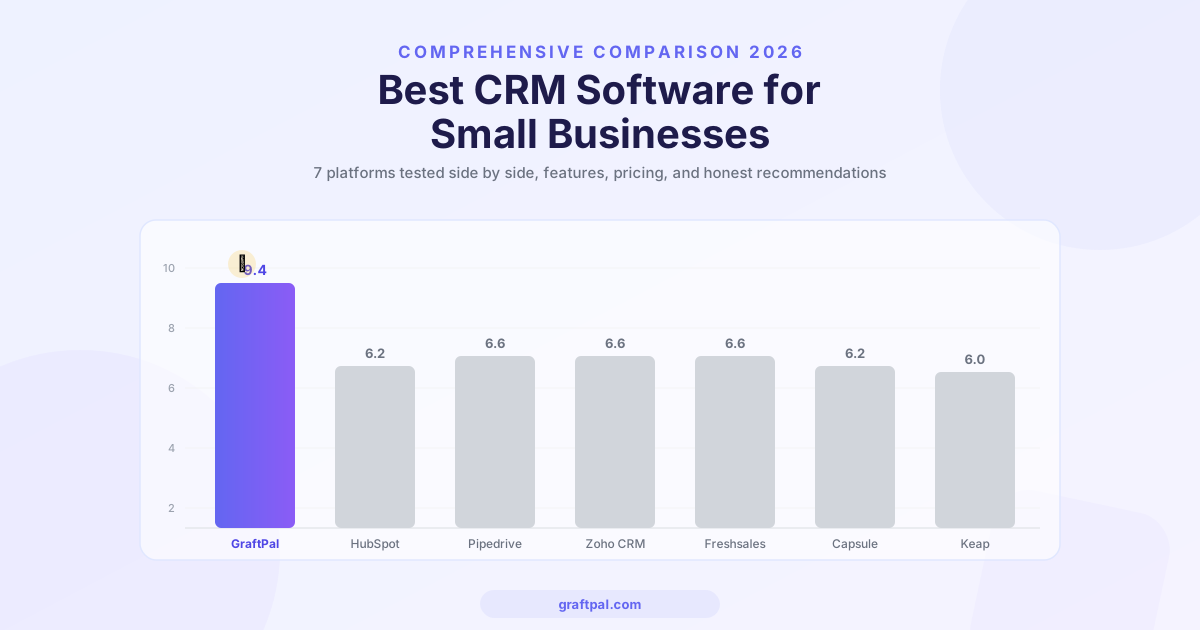
Best CRM Software for Small Businesses in 2026 (Compared)
We compared the top CRM platforms for small businesses side by side. See why GraftPal leads the pack with built-in proposals, invoicing, and automation, all at a price small teams can afford.
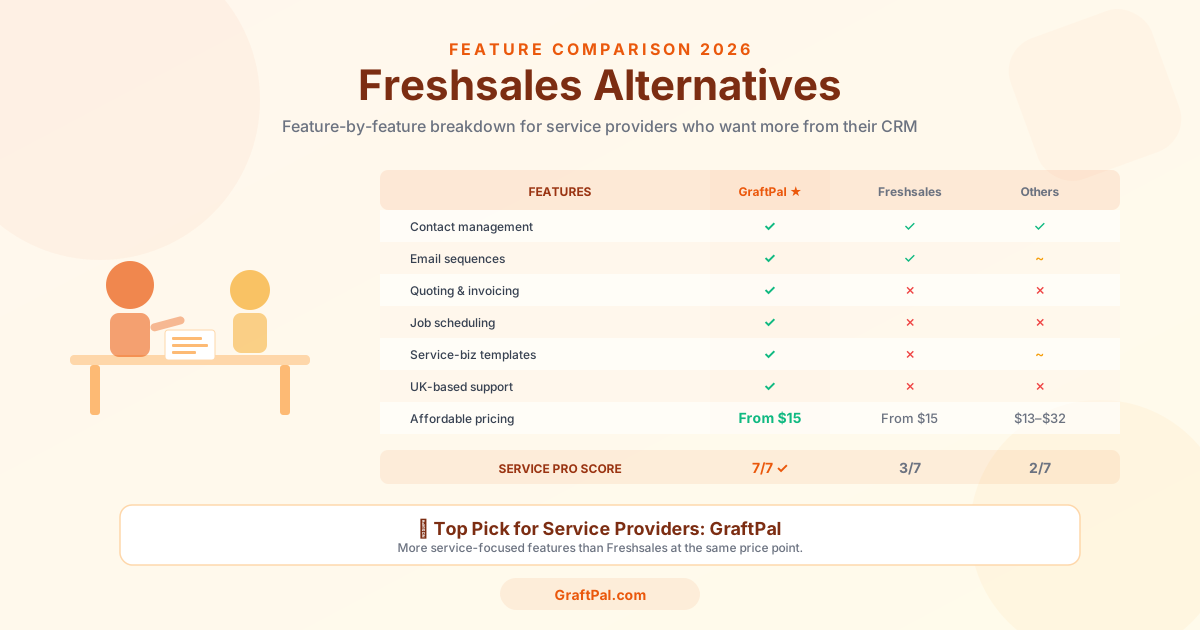
Freshsales Alternatives: 5 Best CRMs for Small Business Owners in 2026
Freshsales is powerful but built for tech-first sales teams, not service businesses. Discover the 5 best Freshsales alternatives for small business owners in 2026, compared by price, features, and fit for freelancers and service providers.
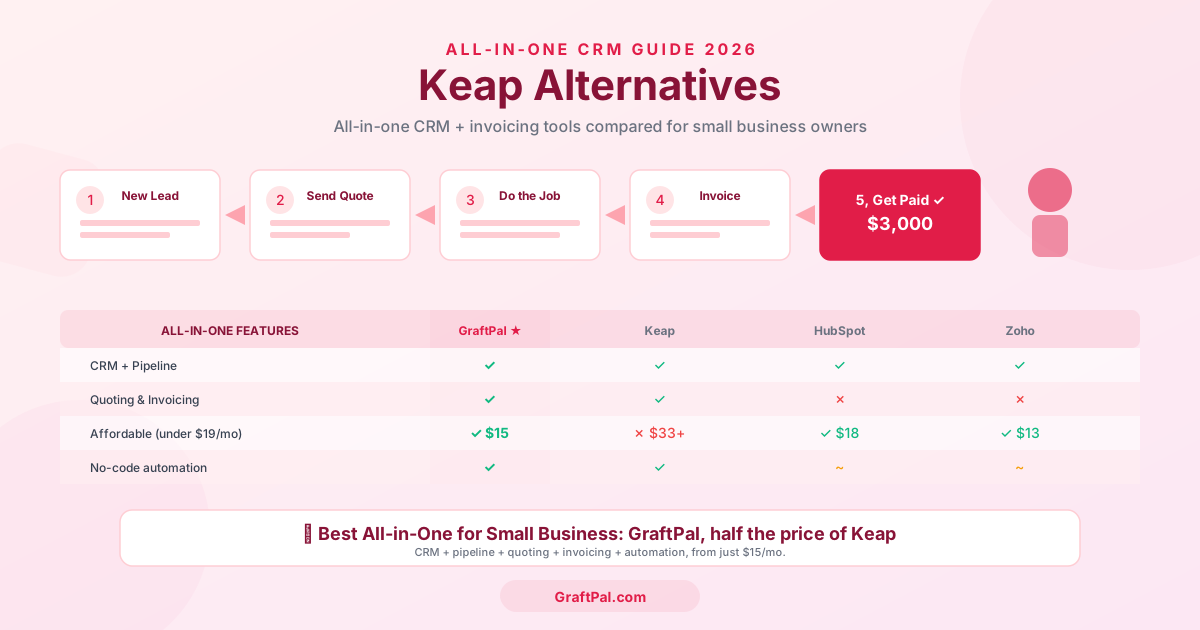
Keap Alternatives: 5 Best CRMs for Service Businesses in 2026
Keap too expensive or complex? Compare the 5 best Keap alternatives for freelancers and service businesses in 2026, including pricing, features, and honest pros and cons.
Ready to Run Your Business From One AI-Powered Platform?
Join thousands of freelancers, consultants, and service businesses who replaced their tool stack with GraftPal. One platform. One login. Everything connected, with AI built in.