Introducing Email Sequences and Goal Tracking in Sales Hub
Sales Hub gets two powerful additions: automated email sequences that nurture leads on autopilot, and goal tracking that keeps your targets front and centre.
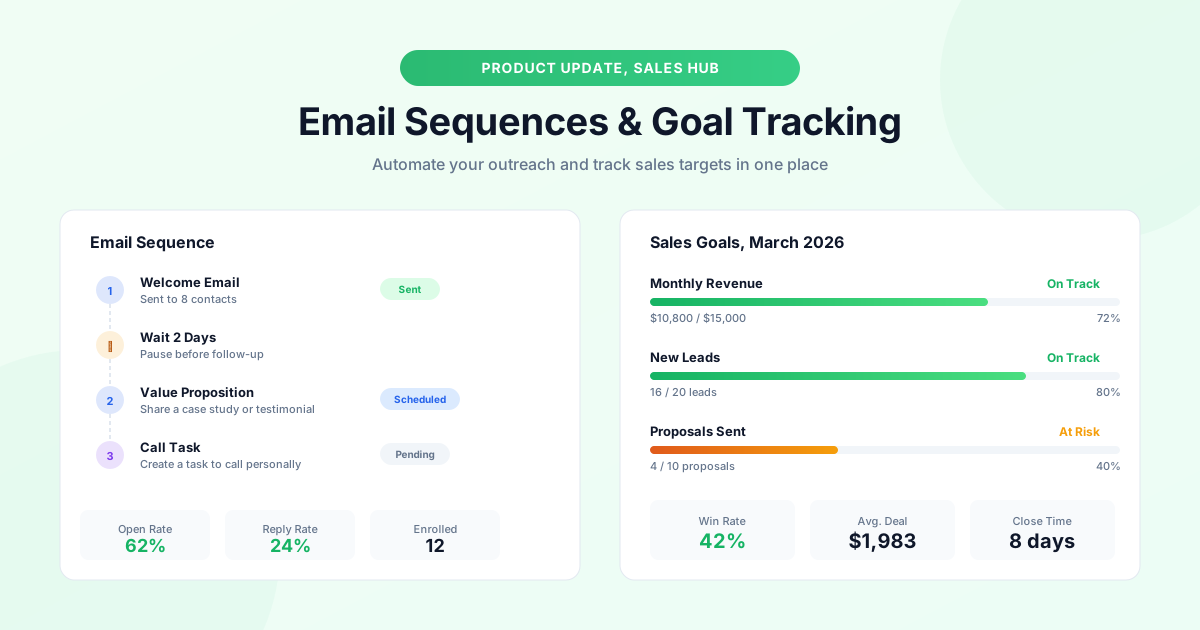
Sales Hub has always been the command centre for managing your pipeline, and this month it gets two features that make it significantly more powerful: email sequences and goal tracking.
Email Sequences
Until now, following up with a lead meant setting yourself a reminder and manually typing each email. That works when you have five prospects, but when you have fifty it's a recipe for missed opportunities.
Email sequences let you build a multi-step follow-up chain that runs automatically after you add a contact. A typical sequence might look like this:
1. Day 0, Welcome Email. Introduce yourself and confirm the enquiry. 2. Day 2, Value Proposition. Share a case study or portfolio link relevant to their project. 3. Day 5, Soft Check-in. Ask whether they have any questions. 4. Day 10, Final Follow-Up. Let them know you're available whenever they're ready.
Each step can include a wait period, and you can choose between sending an email or creating a task, for example, scheduling a phone call at a specific stage. If the contact replies at any point, the sequence pauses automatically so you can pick up the conversation naturally.
You can create as many sequences as you need. Most businesses start with two: one for new inbound leads and one for re-engaging contacts who went quiet after receiving a quote or proposal. Templates are fully customisable, so every message still sounds like it came from you, not a robot.
How to Set Up Your First Sequence
Head to Sales Hub → Sequences → Create Sequence. Give it a name, add your steps, set the delays between each step, and activate it. From that point, any contact you enrol in the sequence will receive the emails on schedule.
Goal Tracking
The second addition to Sales Hub is goal tracking. You can now set monthly or quarterly targets for revenue, leads, proposals sent, and deals closed, and see your progress in real time on the Sales Hub dashboard.
Each goal displays as a progress bar with the current value, the target, and the percentage achieved. Colour coding makes it obvious at a glance: green when you're on track, amber when you're behind pace, and red when a target is at risk.
Why Goals Matter
Setting explicit targets changes behaviour. When a tradesperson sees they're at seventy percent of their monthly revenue goal with ten days left, they're motivated to push for that last thirty percent. Without visible targets, it's easy to coast until the end of the month and wonder why revenue dipped.
Goals are personal by default, but team admins can set shared goals visible to everyone on the account. This is useful for businesses with multiple salespeople or estimators who need alignment on monthly expectations. Combined with sales pipeline reports and lead analytics, goal tracking gives you complete visibility into your sales performance.
Getting Started
Both features are available now on all paid plans. Email sequences are in the Sales Hub sidebar, and goal tracking appears on the Sales Hub dashboard. If you're not sure where to start, try creating a simple three-step sequence for new enquiries and setting a monthly revenue target, you'll see the impact within the first week.
Topics
Written by
Product Lead
Callum oversees product strategy at GraftPal, translating customer feedback into features that simplify lead management for small teams.
View all articlesKeep Reading
Related Resources
Introducing AI Workflows
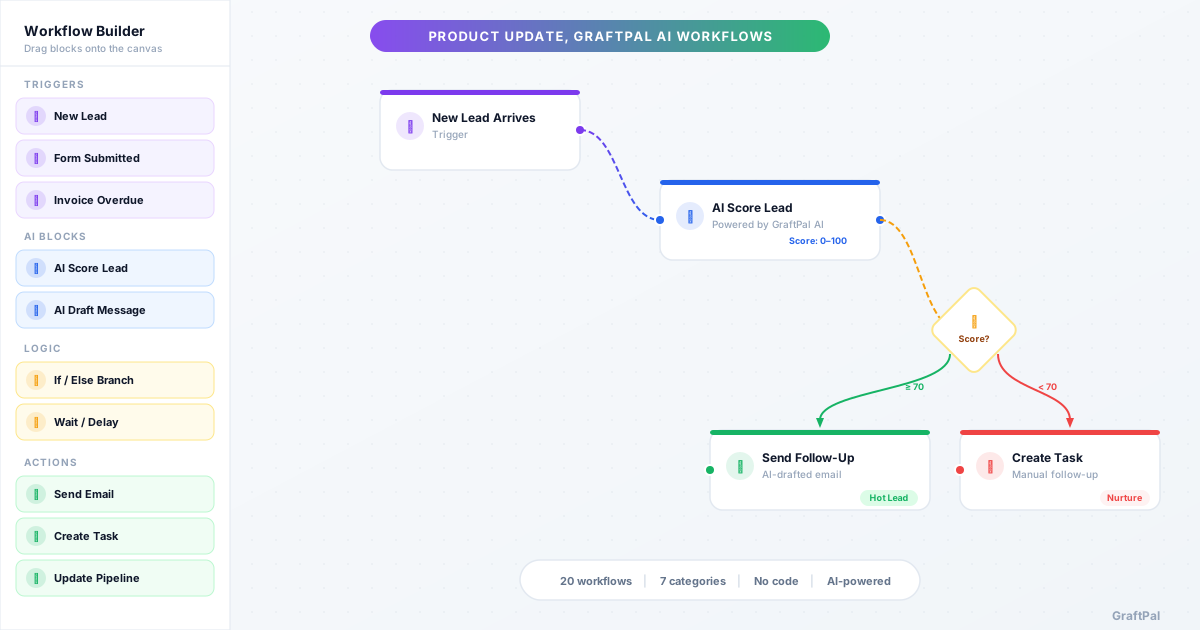
20 pre-built AI Workflows are now live in GraftPal AI, covering lead nurturing, sales, payments, client retention, support, operations, and growth. Each workflow combines triggers, AI decisions, and actions you can activate in minutes.
GraftPal Email Marketing Is Here
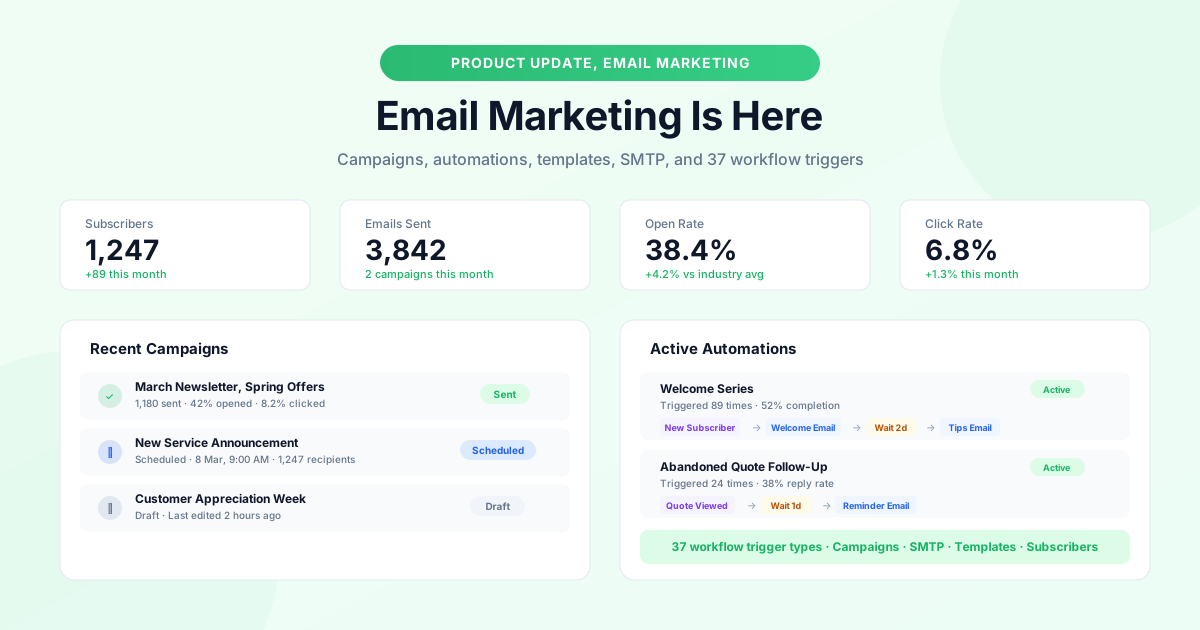
A complete email marketing system is now built into GraftPal: campaigns, automations with 37 trigger types, subscriber management, SMTP support, and a template gallery.
New: Task Management and Payment Links
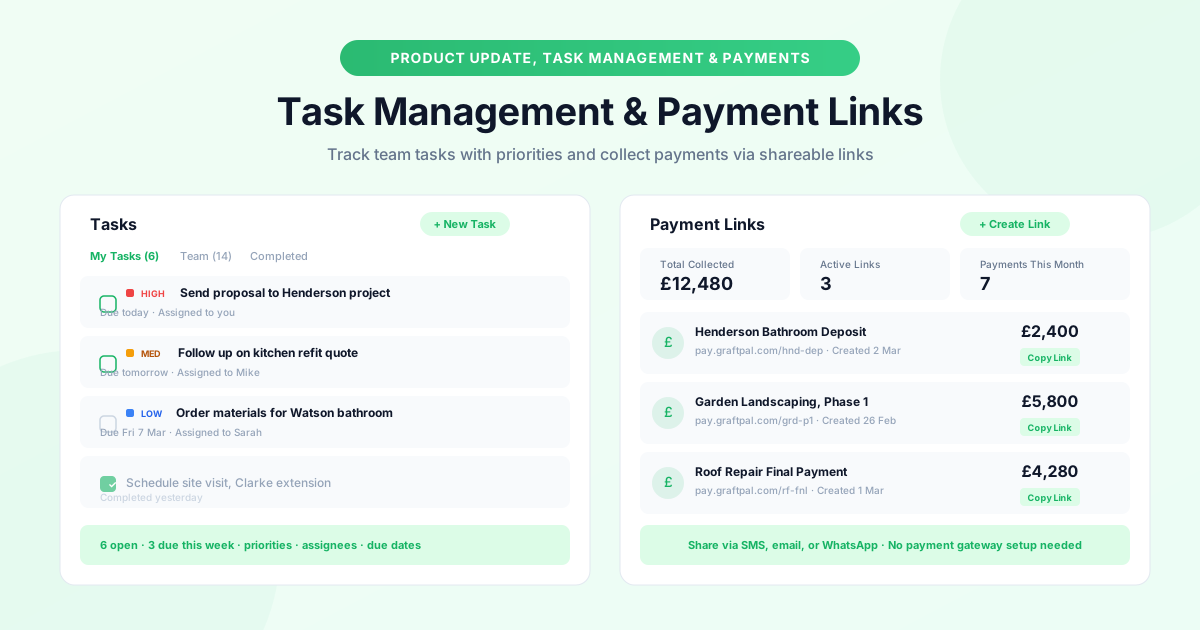
Two new tools to keep your operations running smoothly: task management with priorities, due dates, and assignees, plus payment links you can share anywhere.
Ready to Run Your Business From One AI-Powered Platform?
Join thousands of freelancers, consultants, and service businesses who replaced their tool stack with GraftPal. One platform. One login. Everything connected, with AI built in.