New: Task Management and Payment Links
Two new tools to keep your operations running smoothly: task management with priorities, due dates, and assignees, plus payment links you can share anywhere.
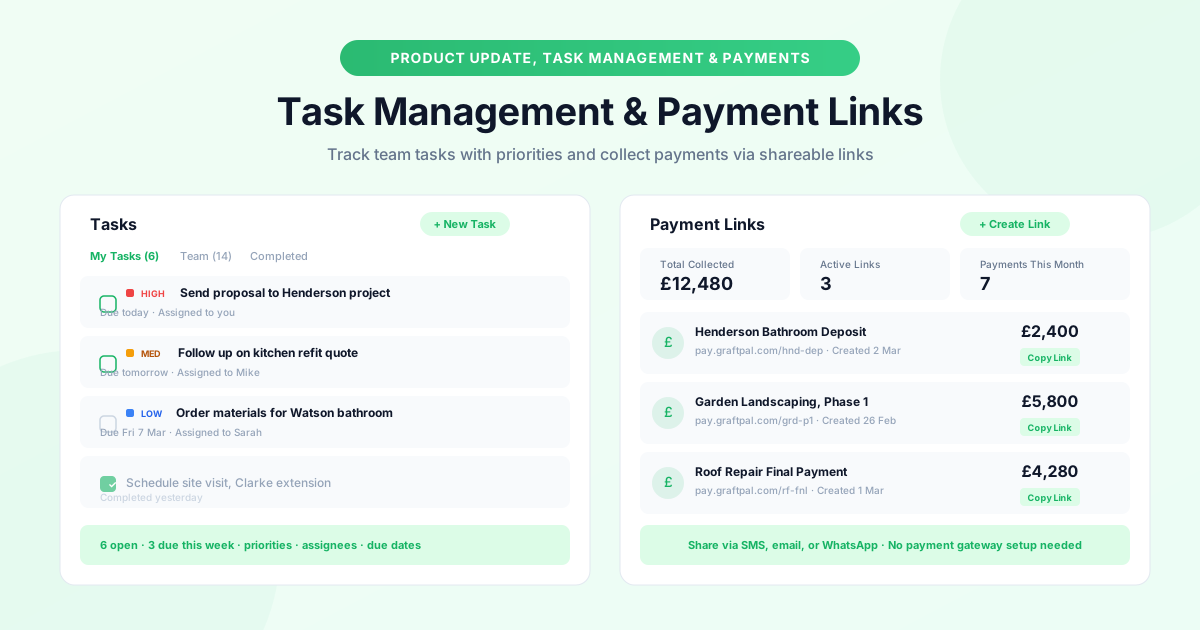
We're releasing two features today that address the two most common requests from our users: a better way to track tasks, and a simpler way to collect payments.
Task Management
Until now, managing to-do items meant using a separate app, a notebook, or your memory. GraftPal now includes a built-in task management system designed specifically for the way tradespeople and service businesses work.
Creating and Organising Tasks
Head to the new Tasks section in the sidebar. From here you can create tasks with a title, description, priority level (high, medium, or low), due date, and assignee. If you're a sole trader, you'll assign everything to yourself. If you have a team, you can distribute tasks across team members.
Tasks appear in a list view sorted by due date, with colour-coded priority badges so you can see at a glance what needs attention first. You can filter by assignee, priority, or status (open, in progress, completed), and switch between "My Tasks" and "Team" views.
Linking Tasks to Jobs and Contacts
Where GraftPal's task management differs from a generic to-do app is integration with the rest of the platform. You can link a task to a specific contact or job record, so all related activity lives in one place. For example, you might create a task "Order materials for Watson bathroom" linked to the Watson job record. When someone on your team marks it as complete, the activity appears on the job timeline automatically.
Task Notifications and Reminders
Tasks that are due today appear in your dashboard summary and trigger an in-app notification. Overdue tasks are highlighted in red so nothing slips through the cracks.
Payment Links
Collecting payment has historically been one of the most friction-filled parts of running a trade or service business. You send an invoice, then wait. You send a reminder, then wait some more. Payment links remove the friction by giving your clients a direct, branded link they can click to pay instantly.
Creating and Sharing Payment Links
Go to Payments → Payment Links → Create Link. Enter the amount, a short description (e.g. "Henderson Bathroom Deposit"), and an optional expiry date. GraftPal generates a unique, branded link, something like pay.graftpal.com/hnd-dep, that you can share via SMS, email, WhatsApp, or any other channel.
When your client clicks the link, they see a clean payment page with your business name, the amount, and the description. They can pay by card, and the payment is deposited into your connected account. No payment gateway configuration is required on their end, the entire experience takes about thirty seconds.
Tracking Payment Links
All active links appear in the Payment Links dashboard with their status (active, paid, or expired), the amount, the date created, and the number of times the link has been viewed. You can also see a running total of all payments collected through links.
Payment Link Use Cases
The most common use cases we've seen during beta testing:
- Deposit collection. Send a payment link with your quote or proposal so the client can secure the job immediately.
- Progress payments. Create milestone links for each stage of a larger project.
- Ad-hoc charges. Generate a quick link for extras or variations that come up during a job.
- Overdue invoices. Share a payment link as a gentle nudge, it's often easier for clients to click a link than to process a bank transfer.
Availability
Both features are available now on all paid plans. Tasks are in the sidebar under Tasks, and payment links are under Payments → Payment Links. There is no additional cost for either feature.
Topics
Written by
Product Lead
Callum oversees product strategy at GraftPal, translating customer feedback into features that simplify lead management for small teams.
View all articlesKeep Reading
Related Resources
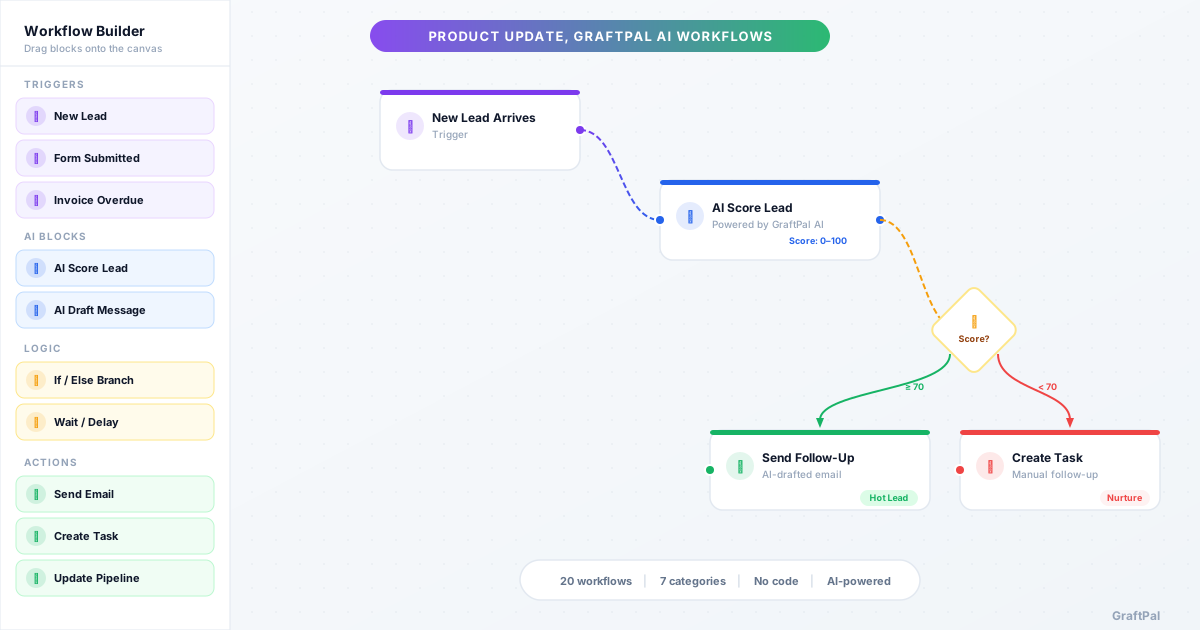
Introducing AI Workflows
20 pre-built AI Workflows are now live in GraftPal AI, covering lead nurturing, sales, payments, client retention, support, operations, and growth. Each workflow combines triggers, AI decisions, and actions you can activate in minutes.
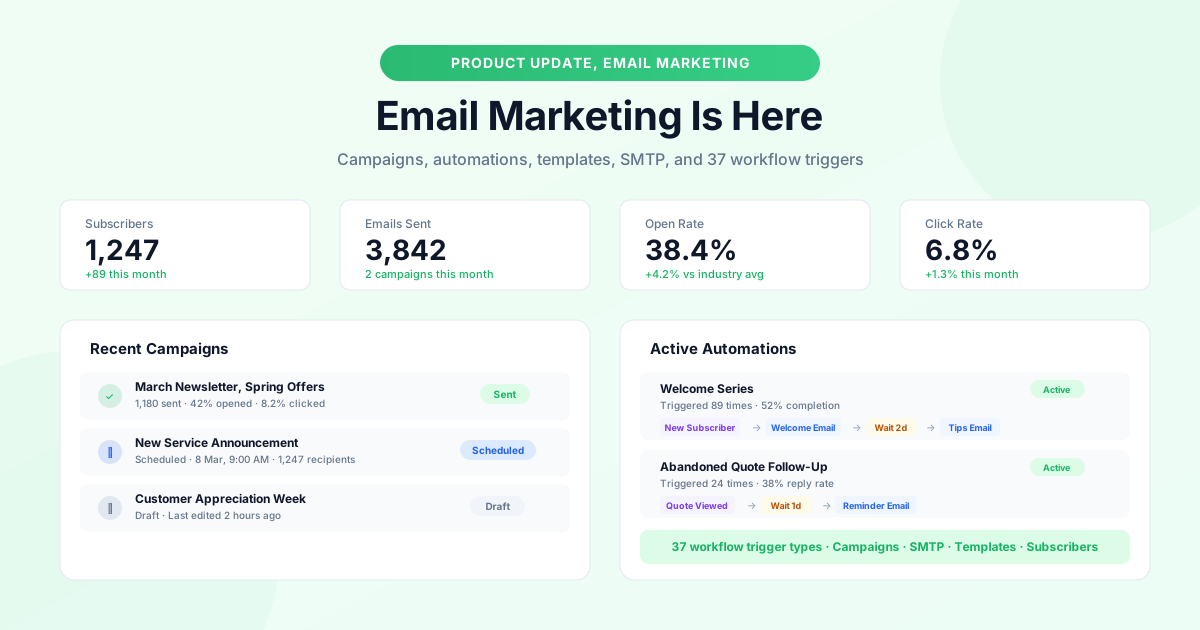
GraftPal Email Marketing Is Here
A complete email marketing system is now built into GraftPal: campaigns, automations with 37 trigger types, subscriber management, SMTP support, and a template gallery.
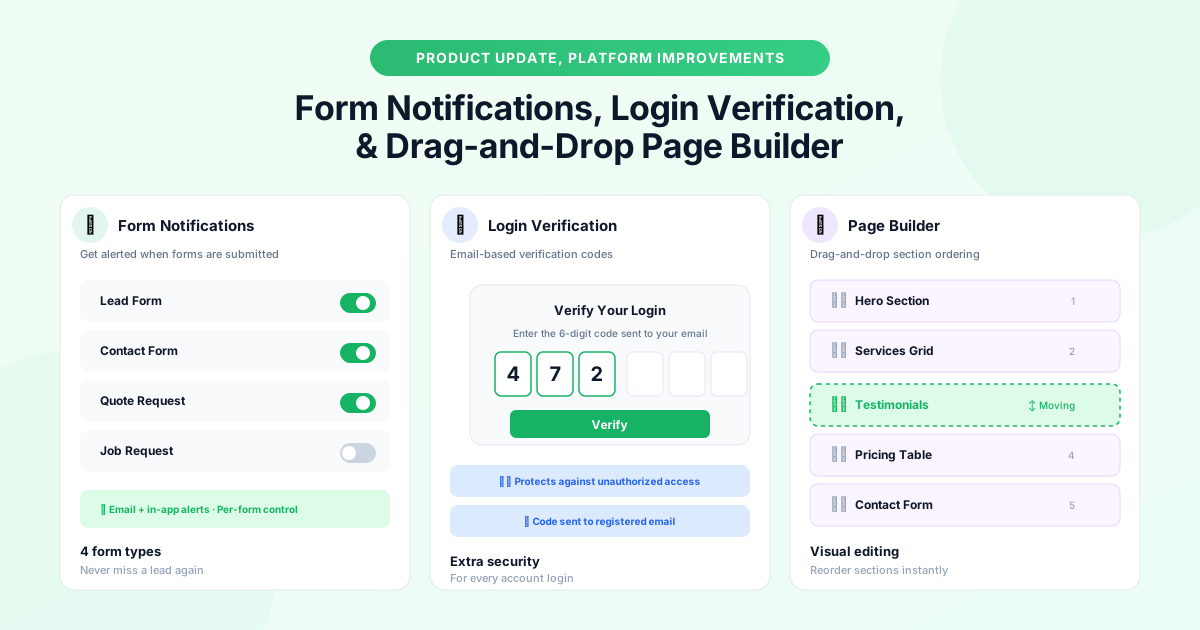
Platform Updates: Form Notifications, Login Verification, and Page Builder Improvements
Three platform improvements landing this month: instant form notifications, email-based login verification codes, and drag-and-drop section ordering in the page builder.
Ready to Run Your Business From One AI-Powered Platform?
Join thousands of freelancers, consultants, and service businesses who replaced their tool stack with GraftPal. One platform. One login. Everything connected, with AI built in.