Platform Updates: Form Notifications, Login Verification, and Page Builder Improvements
Three platform improvements landing this month: instant form notifications, email-based login verification codes, and drag-and-drop section ordering in the page builder.
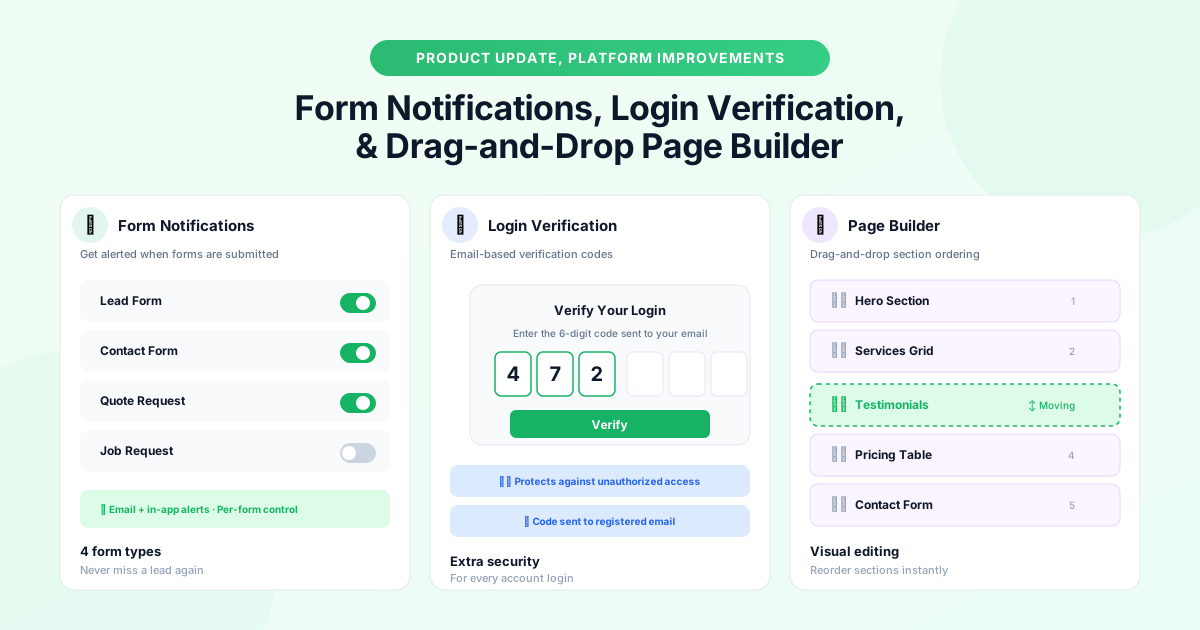
This month we're shipping three improvements that touch different parts of the platform but share a common theme: making your day-to-day workflow smoother and more secure.
Form Notifications
GraftPal forms, lead capture forms, contact forms, quote request forms, and job request forms, are often the first touchpoint between you and a potential client. Previously, you had to check the Leads or Contacts section to see new submissions. Now you can opt into instant notifications for each form type, so you're alerted the moment someone fills one in.
Setting Up Form Notifications
Navigate to Settings → Notifications → Form Submissions. You'll see a toggle for each of the four form types: Lead Form, Contact Form, Quote Request, and Job Request. Enable the ones you want, and you'll receive an email and an in-app notification every time a submission arrives.
Why Response Speed Matters
Research consistently shows that responding to an enquiry within five minutes dramatically increases your chance of winning the work. With form notifications enabled, you'll know about new leads the instant they come in, even if you're on a job site, so you can send a quick reply before a competitor does. Pair this with automated email workflows to send an instant acknowledgement while you prepare a personal response.
Email Verification for Logins
Security is an ongoing priority, and we've added an extra layer of protection to every login. When you sign in from a new device or browser, GraftPal now sends a six-digit verification code to your registered email address. You'll need to enter the code to complete the login.
This protects your account even if your password is compromised, because an attacker would also need access to your email inbox. The code expires after ten minutes and can only be used once.
No setup is required, email verification is enabled automatically for all accounts. The next time you sign in from a new device, you'll see the verification prompt. It adds roughly ten seconds to the login process and significantly reduces the risk of unauthorised access. For teams, this works alongside role-based permissions to keep your data secure.
Drag-and-Drop Page Builder Sections
The page builder is how many GraftPal users create their business website, and the most common feature request has been the ability to reorder sections without deleting and recreating them. That's now possible.
Reordering Sections in the Page Builder
Open any page in the page builder and you'll see a drag handle (six dots) on the left side of each section. Grab the handle and drag the section to its new position. The page preview updates in real time so you can see exactly how the layout changes.
Currently supported section types include Hero, Services Grid, Testimonials, Pricing Table, Contact Form, Gallery, About, and any custom sections you've added. The drag-and-drop ordering works on both desktop and tablet views.
What Is Next for the Page Builder
This is the first of several page builder improvements planned for 2026. Coming soon: the ability to duplicate sections, per-section visibility toggles (to hide a section temporarily without deleting it), and a section template library so you can start from pre-designed layouts rather than blank blocks. Combined with landing pages and SEO tools, the page builder gives you everything you need to build a high-converting online presence.
Availability
All three updates are live now across all plans. Form notifications can be configured in Settings, email verification activates automatically, and the page builder drag-and-drop is available on every page you edit.
Topics
Written by
Product Lead
Callum oversees product strategy at GraftPal, translating customer feedback into features that simplify lead management for small teams.
View all articlesKeep Reading
Related Resources
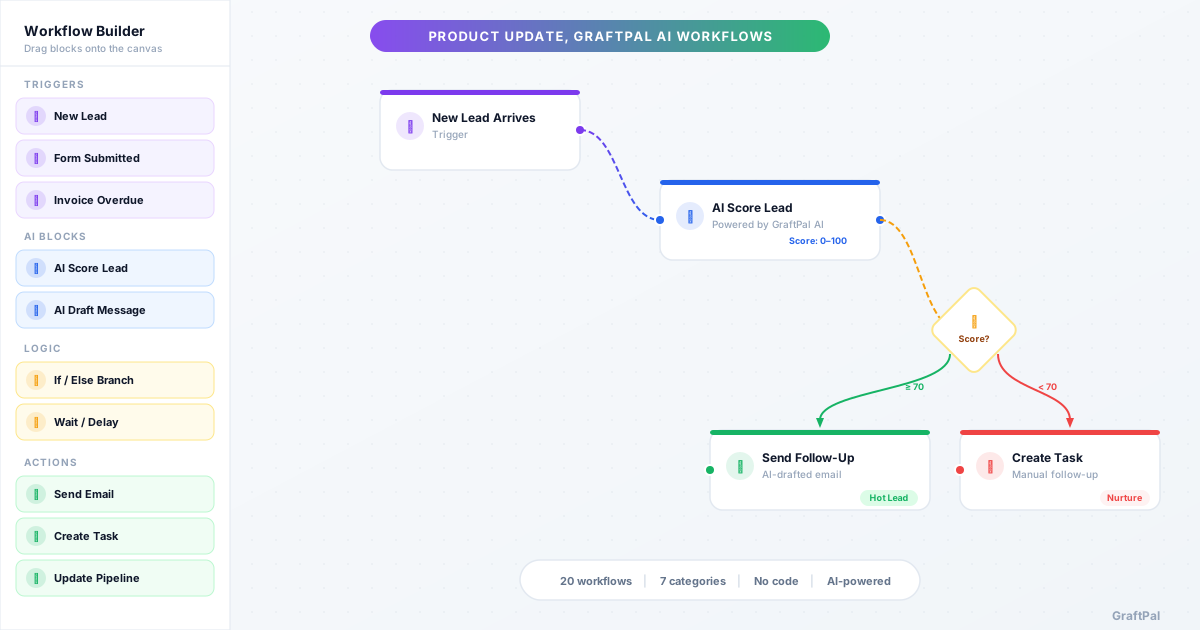
Introducing AI Workflows
20 pre-built AI Workflows are now live in GraftPal AI, covering lead nurturing, sales, payments, client retention, support, operations, and growth. Each workflow combines triggers, AI decisions, and actions you can activate in minutes.
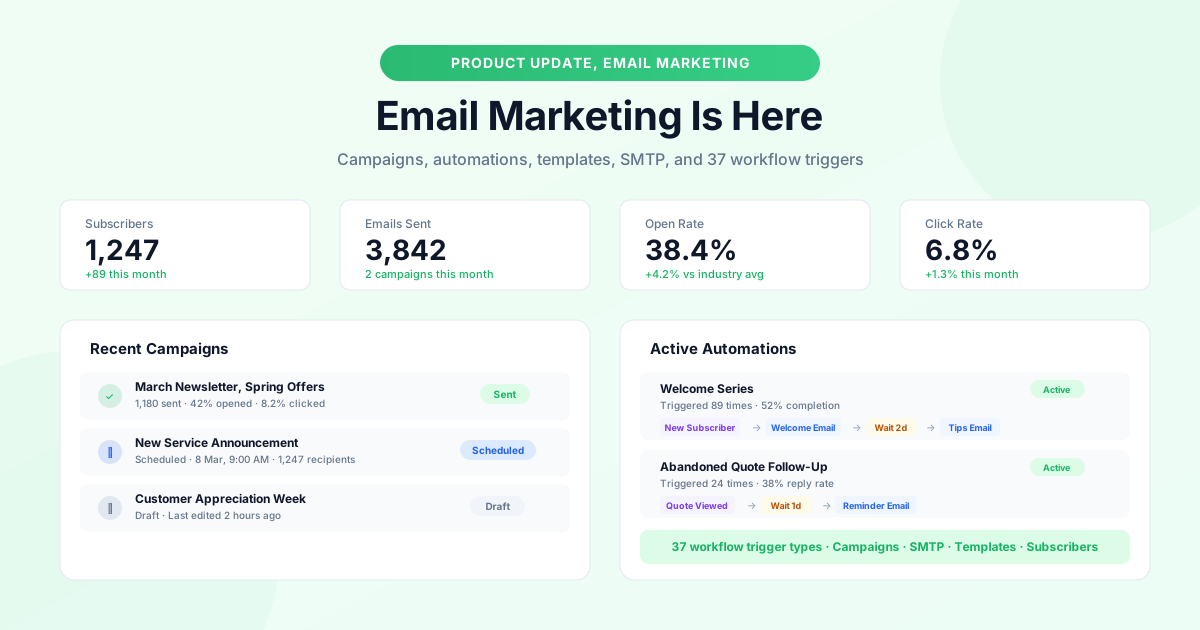
GraftPal Email Marketing Is Here
A complete email marketing system is now built into GraftPal: campaigns, automations with 37 trigger types, subscriber management, SMTP support, and a template gallery.
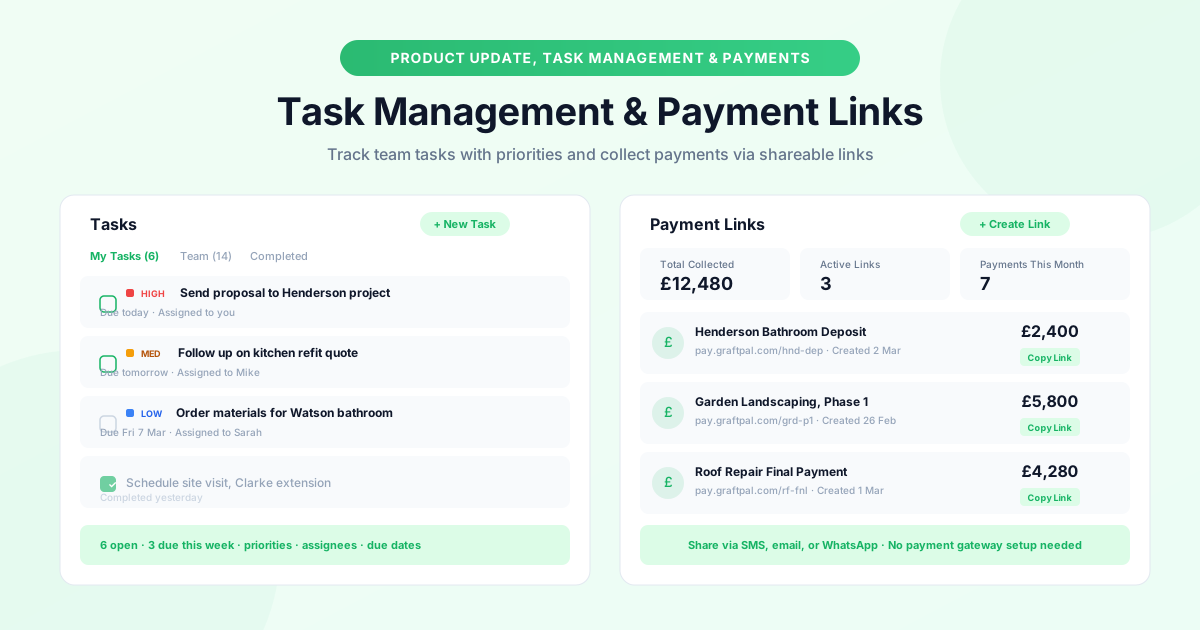
New: Task Management and Payment Links
Two new tools to keep your operations running smoothly: task management with priorities, due dates, and assignees, plus payment links you can share anywhere.
Ready to Run Your Business From One AI-Powered Platform?
Join thousands of freelancers, consultants, and service businesses who replaced their tool stack with GraftPal. One platform. One login. Everything connected, with AI built in.