From Spreadsheets to CRM: A Migration Guide
A practical, step-by-step eBook for small businesses ready to graduate from spreadsheets to a real CRM, without the headaches.
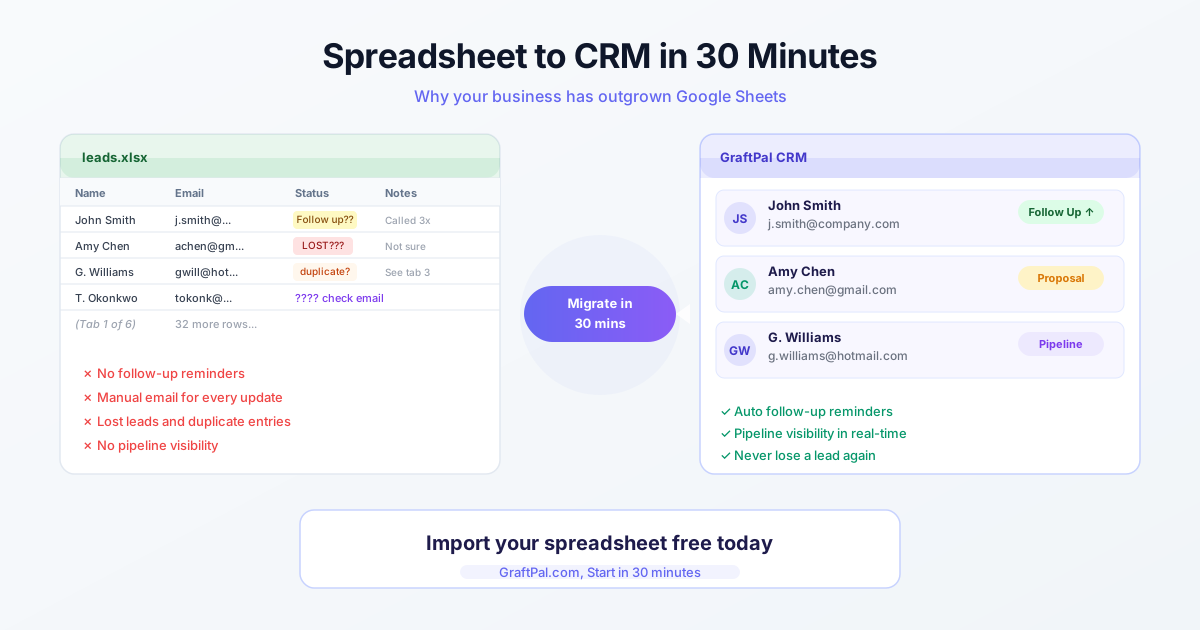
Spreadsheets are where most small businesses start tracking their leads, and there's nothing wrong with that. They're free, flexible, and familiar. But there comes a point, usually around fifty to one hundred active contacts, when a spreadsheet starts working against you. Formulas break, duplicates creep in, and there's no easy way to see which leads need follow-up today. If you've hit that wall, it's time to migrate to a CRM.
Audit and Clean Your Data
The biggest fear about migration is data loss, and it's a legitimate concern if you rush the process. Start by auditing your existing spreadsheet. Delete rows for leads that are clearly dead, companies that went out of business, contacts who asked to be removed, or entries with missing email addresses. Standardise your column headers to match the fields in your new CRM: First Name, Last Name, Email, Phone, Company, Lead Source, Status, and Notes. This cleanup step takes an hour or two but prevents a cascade of import errors later.
Import and Verify
Next, export your cleaned spreadsheet as a CSV file and use your CRM's import wizard to map each column to the corresponding field. GraftPal's import tool previews the first ten rows before committing, so you can catch mapping mistakes before they affect your entire database. After the import, spot-check twenty random records to verify that data landed in the right fields. Pay special attention to phone number formatting, date fields, and any custom tags you created.
Retire the Spreadsheet
The final step is the one most businesses skip: retiring the spreadsheet. If you keep both systems running in parallel, your team will inevitably split their updates between the two, and neither will be accurate. Set a firm cutover date, communicate it to everyone involved, and archive the spreadsheet in a read-only folder for reference. Within a week of using the CRM exclusively, most teams wonder how they ever managed without it.
Building the New Habit
Migrating from a spreadsheet to a CRM is less about technology and more about building a new habit. Give yourself and your team grace during the first two weeks, use the CRM for every interaction even when it feels slower, and trust that the upfront investment will pay dividends in organisation, speed, and closed deals.
Topics
Written by
Sales Strategy Consultant
Deon is an independent sales consultant who partners with GraftPal to share proven frameworks for pipeline management and deal closing.
View all articlesKeep Reading
Related Resources
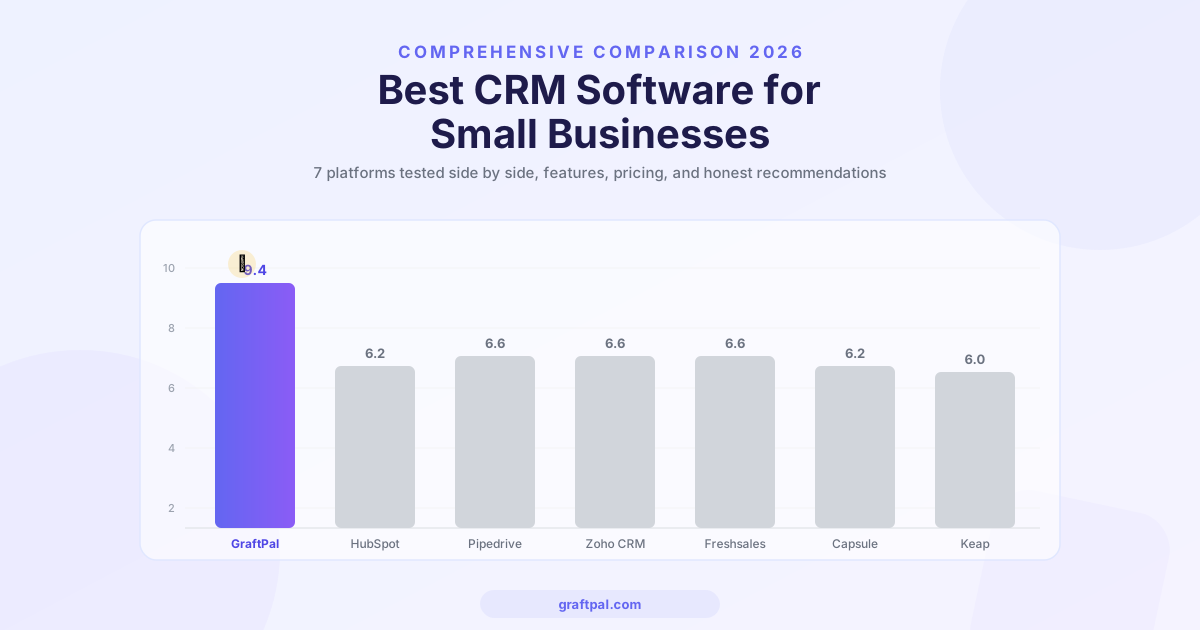
Best CRM Software for Small Businesses in 2026 (Compared)
We compared the top CRM platforms for small businesses side by side. See why GraftPal leads the pack with built-in proposals, invoicing, and automation, all at a price small teams can afford.

Zoho CRM Alternatives: 5 Better CRMs for Service Businesses in 2026
Looking for a Zoho CRM alternative? Compare the top 5 CRM platforms purpose-built for freelancers and service businesses, with honest feature comparisons, pricing, and recommendations.
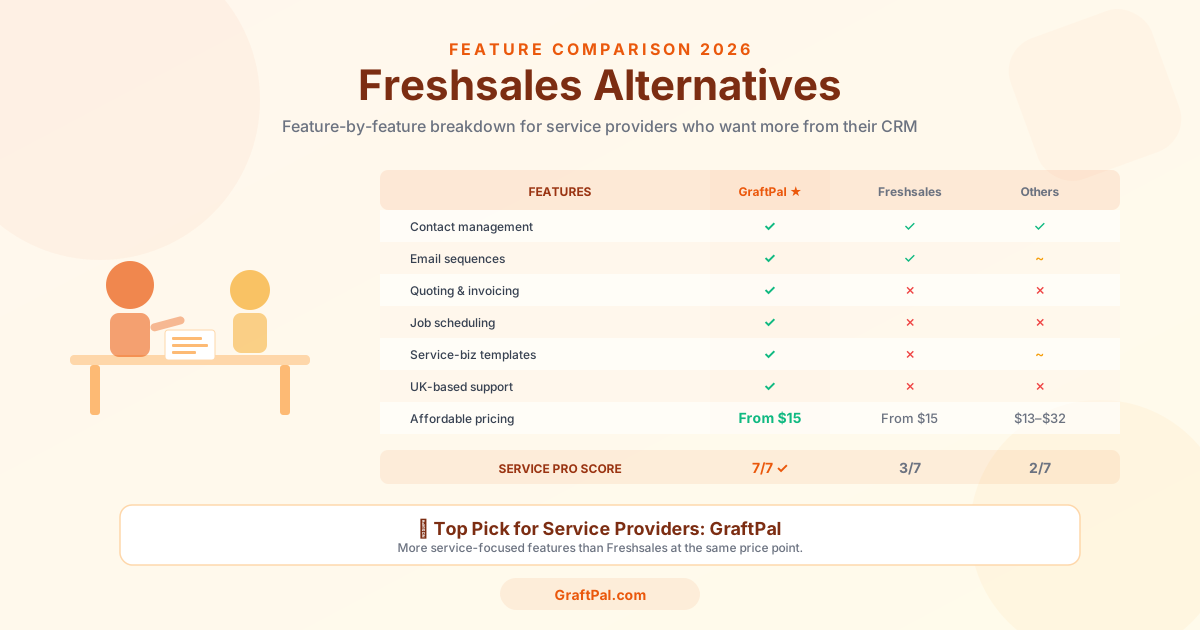
Freshsales Alternatives: 5 Best CRMs for Small Business Owners in 2026
Freshsales is powerful but built for tech-first sales teams, not service businesses. Discover the 5 best Freshsales alternatives for small business owners in 2026, compared by price, features, and fit for freelancers and service providers.
Ready to Run Your Business From One AI-Powered Platform?
Join thousands of freelancers, consultants, and service businesses who replaced their tool stack with GraftPal. One platform. One login. Everything connected, with AI built in.